CapCut Pad is now out for Android tablets on the Google Play Store. The new version of ByteDance’s popular video editor, the firm behind TikTok, has been developed to better capitalize on larger displays and deliver an experience more akin to desktop video software.
CapCut Pad will be welcomed by video editors who need to edit videos fast and not always using a computer, digital marketers, students and small enterprises.
CapCut Pad: video creation designed for Android tablets
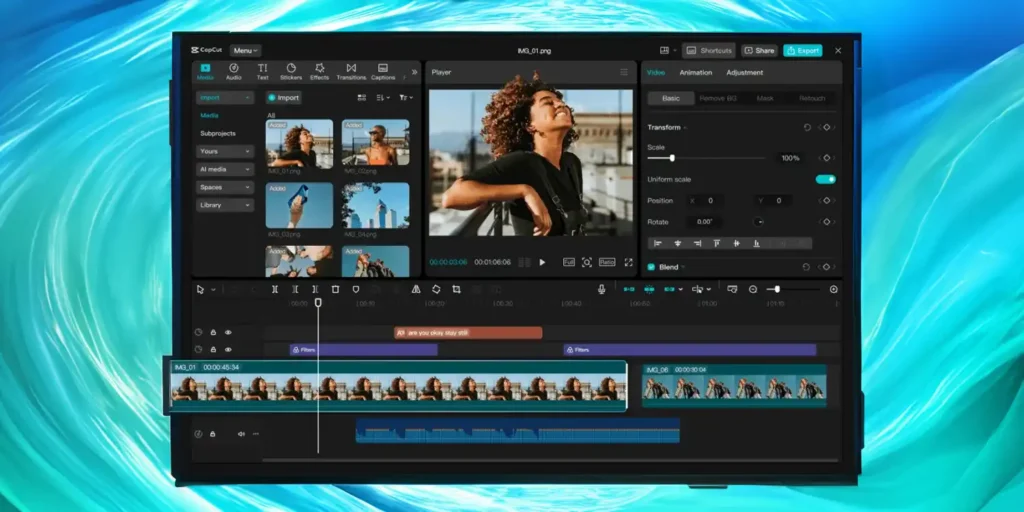
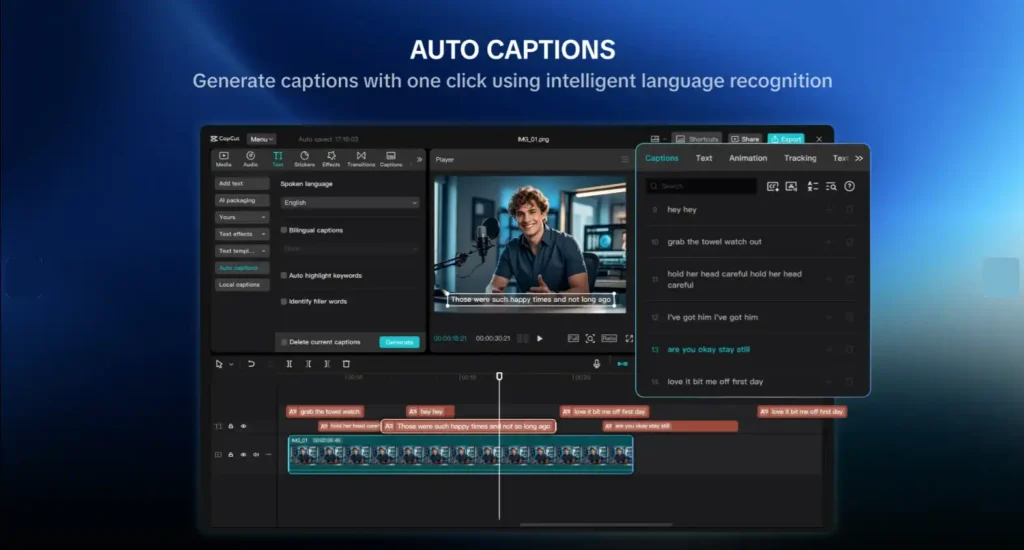
Unlike the classic smartphone version, CapCut Pad has an interface optimized for tablets. The workspace is bigger, the controls are more ergonomic and the timeline has more area to organize clips, audio, effects and transitions.
This feature makes it easier to manage video productions that have several elements. The wider screen lets users trim footage, fine-tune audio, dig deep and produce videos for TikTok, Instagram Reels, YouTube Shorts and Facebook.
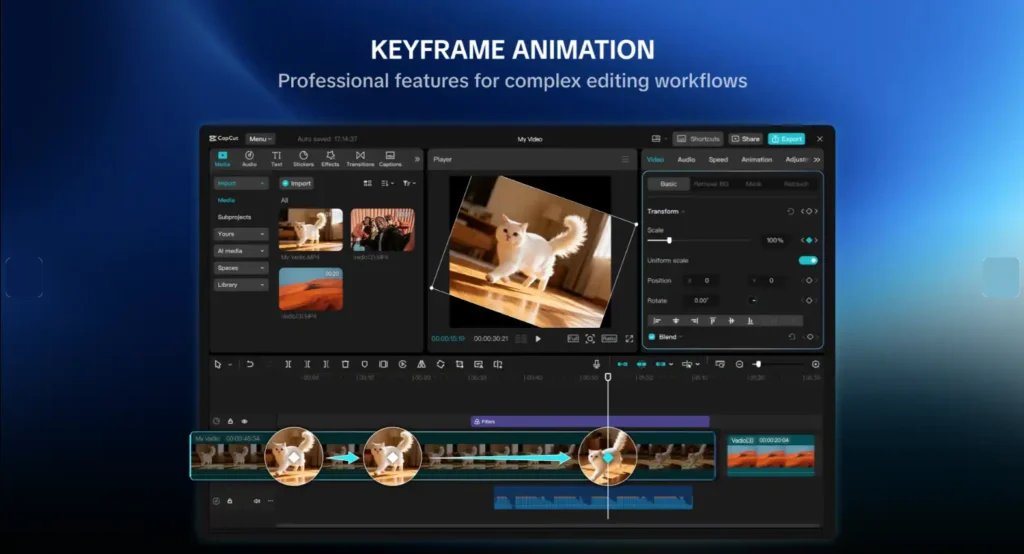
For stylus users, the experience can be even more precise. Tablets are a mobile tool for creating with more control than a smartphone and more portability than a computer.
Multi-track timeline and professional tools
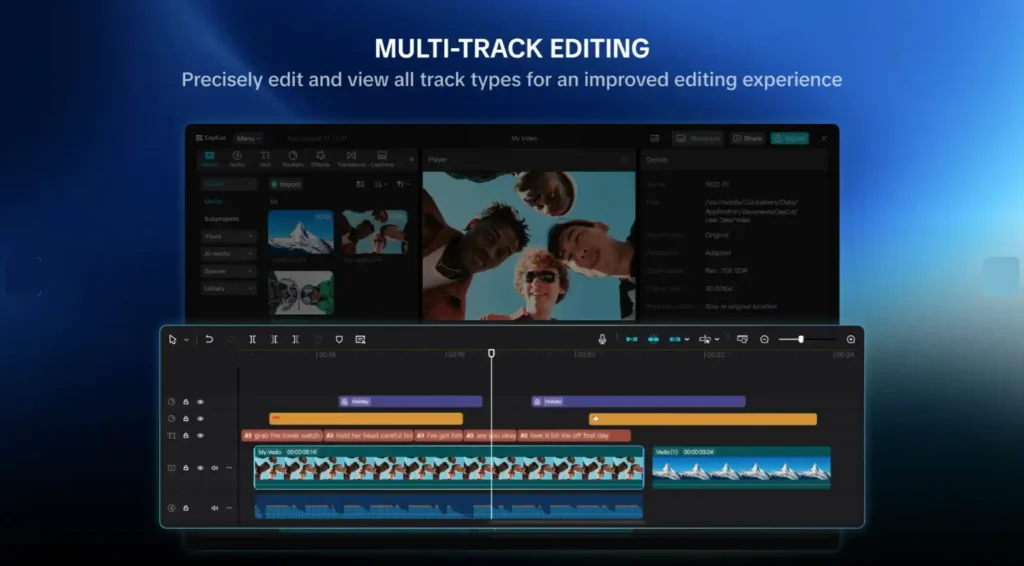
CapCut Pad provides powerful video tools to Android One of the major features is the multi-track timeline that enables users to work with multiple tracks of video, audio, subtitles, music, effects and visual elements in the same project.
The program also offers keyframe animation, smooth slow motion, chroma key and video stabilization. These technologies allow users make material that is more complete, with better visuals and more creative freedom.
Chroma key is a valuable feature for tutorials, promotional films, educational content, and social media postings, allowing users to remove or replace backdrops. Stabilization of video cuts down on undesired movement, giving you better handheld footage.
Export up to 4K at 60 fps with HDR
Another good element is the capability to export up to 4K at 60fps with HDR. This is important for those who are recording at high resolution and wish to keep strong quality in the final video.
This alternative makes CapCut Pad an attractive option for those who upload movies often and need excellent quality in vertical and horizontal formats.
CapCut Pad can be downloaded for free from the Google Play Store. After installation, users only need to sign in with a CapCut account to start editing videos and photos on an Android tablet.
Although access is free, some advanced features, templates, effects or premium resources may require a CapCut Pro subscription.
The launch of CapCut Pad comes at a time when CapCut continues to invest in artificial intelligence and online creative tools. The platform already offers solutions such as CapCut Video Studio on the web and is preparing integrations with services like Google Gemini.
With this strategy, ByteDance brings it closer to a full video creation ecosystem, with mobile apps, web tools, AI features and now a version optimised for Android tablets.
Android Pad creators, good news!
— CapCut (@capcutapp) May 27, 2026
CapCut Pad is now on Android, bringing desktop-level editing experience to a bigger screen.
With a larger workspace, easier controls, and more room for your timeline, you can shape your ideas more freely wherever you are. pic.twitter.com/lXfrKOslV7
Yes. If you want a video editor for Android tablets that comes with a large UI, comprehensive features, and excellent output quality, CapCut Pad is a good choice.
For video editors, content creators, companies, marketing pros and users who often edit videos, this new edition is a big step toward making an Android tablet a real creative production tool.